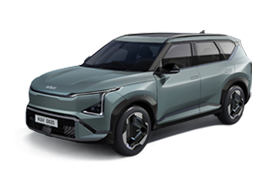
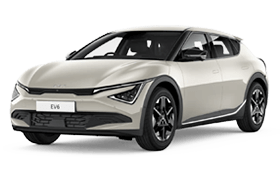
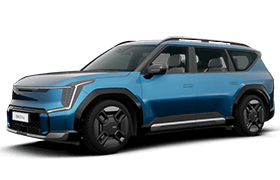
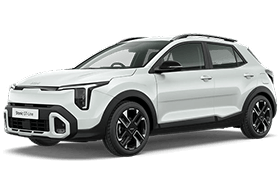

Keep your Kia updated with Over-the-Air updates.

Update existing features, refine software and enjoy a more convenient on-the-go experience. Stay informed on any available updates without having to visit a dealership.

What is Over-the-Air updates?

Over-the-Air (OTA) updates uses wireless technology to download the latest available software whilst you are driving. Once the download is complete, you will then be prompted via their vehicle infotainment screen on whether to commence the update.

These updates improve key vehicle functions, such as: powertrain, steering, suspension, electric motor, battery, airbags, and Advanced Driver Assistance Systems (ADAS). Giving you confidence in knowing that your Kia is equipped with the latest features in safety and performance wherever you go.


Benefits to customers

Prolong that new car feeling

Always feel like you're driving a new a car by keeping your vehicle software up to date with the latest functions and features.

Convenience to you

Simplify your life with the added convenience of wireless software updates for your Kia. Resolve software issues or recalls through quick and easy updates.

How to update your Kia's software Over-the-Air

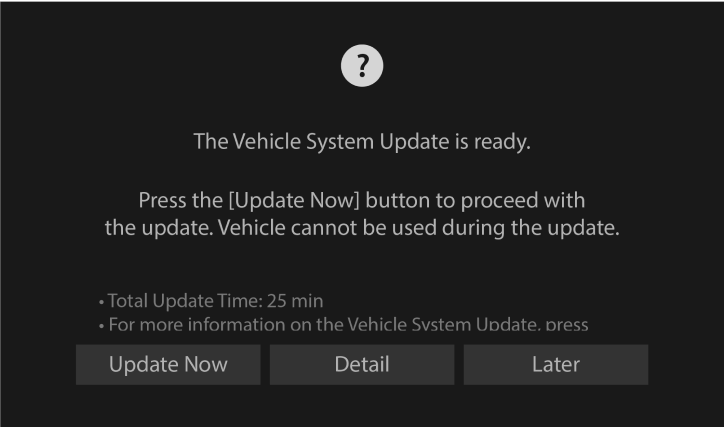
Step 1. Ready for Update

Your Kia latest software version will be automatically downloaded while you drive if it's available. Once the download is complete and the engine is off, you can start the update by following the instructions displayed on the infotainment screen.


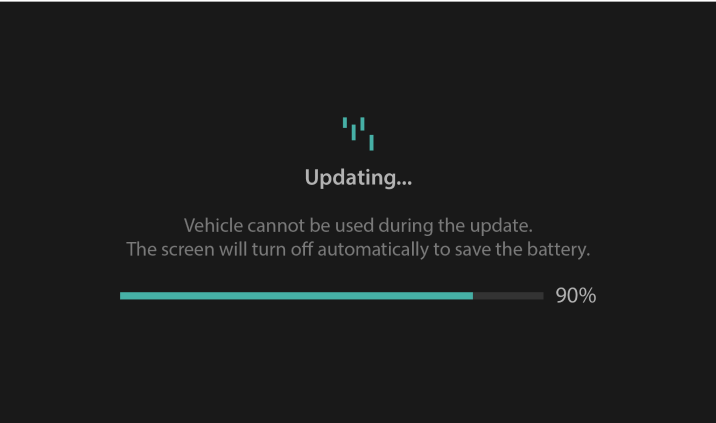
Step 2. Progress of the Update

You can check the progress of the update on your Kia's infotainment screen.

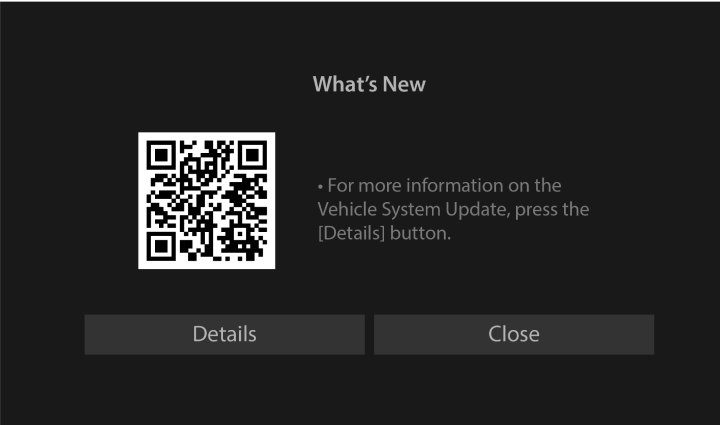
Step 3. Update Complete

Once the update is finished, to find more information, you can scan the QR code on the infotainment screen or through the Kia Connect App to take you to the OTA Notification webpage.

The Latest Update

To check the official information on the latest software updates, click below to learn more.

Check updates

Manual Download

Check the manual for instructions on how to perform a wireless software update.

Download

Frequently Asked Questions

Which model(s) can receive Over-the Air (OTA) updates?

Over the Air (OTA) Updates are available on all eligible vehicles fitted the Kia Connect Services. Please refer vehicle brochures for accurate trim specifications.

What are the benefits of receiving OTA updates?

Receiving OTA updates upgrades your vehicle's software to the latest version, this includes (but not limited to) recall campaigns and product improvements. However, the specific updates may vary depending on the model and trim.

Do I need Kia Connect activated to use the OTA update feature?

Yes, Kia Connect must be activated to receive OTA updates.

Is it possible to schedule OTA updates for a specific time?

OTA updates are automatically downloaded while driving. After the new software download is complete and the ignition is turned off, a confirmation window will appear on the infotainment screen. Drivers have the option to either complete the update immediately following the download or postponed until the next ignition cycle.

What are the requirements for the vehicle before performing OTA updates?

To perform OTA updates, the vehicle must meet the following requirements:

  • The vehicle is turned off, including the ignition or EV ready status.
  • The headlights are turned off.
  • The vehicle is in park.
  • The parking brake is engaged.
  • The bonnet is fully closed.
  • The 12V battery and the high-voltage battery must have sufficient charge to complete the update.

How can I check the progress during an OTA update?

The update progress can be checked through the infotainment screen by pressing the vehicle ‘Start’ button.

Can I use the vehicle during an OTA update?

No, you cannot drive the vehicle during an OTA update. It is important to ensure you have enough time to complete the update without needing to use the vehicle. The time required for the update will be displayed in the infotainment screen prior to confirming approval to proceed.

How can I make sure my vehicle moves to the 4G VOLTE network?

DCU software update via OTA, or USB software update performed at service center

What will happen to my vehicle is the OTA is not performed on my vehicle?

Tasman, EV3, Sportage:

  • Normal operation in areas with coverage
  • In shadow areas: SOS call / ACN call failure, and failure to send location information via text message.

EV5: SOS call / ACN call unavailable.

Caution

Before commencing a OTA update customers MUST ensure:

  1. You have enough time for the update, and safely park the vehicle before starting the update process
  2. That all persons are outside the vehicle during the update.
  3. To not open the bonnet, replace the battery, or connect diagnostic tools to the vehicle during the update. Doing so may cause the update to fail

Before commencing an OTA update customers MUST be aware:

  1. You cannot use the vehicle during the update
  2. You cannot start the vehicle remotely during the update
  3. Vehicle charging is not available during the update
  4. If fitted and there is an update for the Kia Digital Key feature, the doors cannot be locked or unlocked using the digital key, fingerprint recognition, or face recognition. If the Kia Digital Key feature is being updated, you will still be able to use the smart key to lock or unlock the doors
  5. Once the update has started, you cannot cancel the update
  6. That some high voltage systems may be active for charging the 12V auxiliary battery during the update

Disclaimer

Available on eligible EV3, EV4, EV5, EV6, EV9, PV5, Niro, Sportage, Sorento, Tasman models. Please refer vehicle brochures for accurate trim specifications.

All information is based on data available at the time of publication. More Kia models will be available with the Kia Connect function. This information is subject to change without notice. Please consult your nearest Kia dealer for the latest information.

Kia Connect features may vary depending on model trim.